Handbook.
Click anywhere in the window to jump to its explanation.
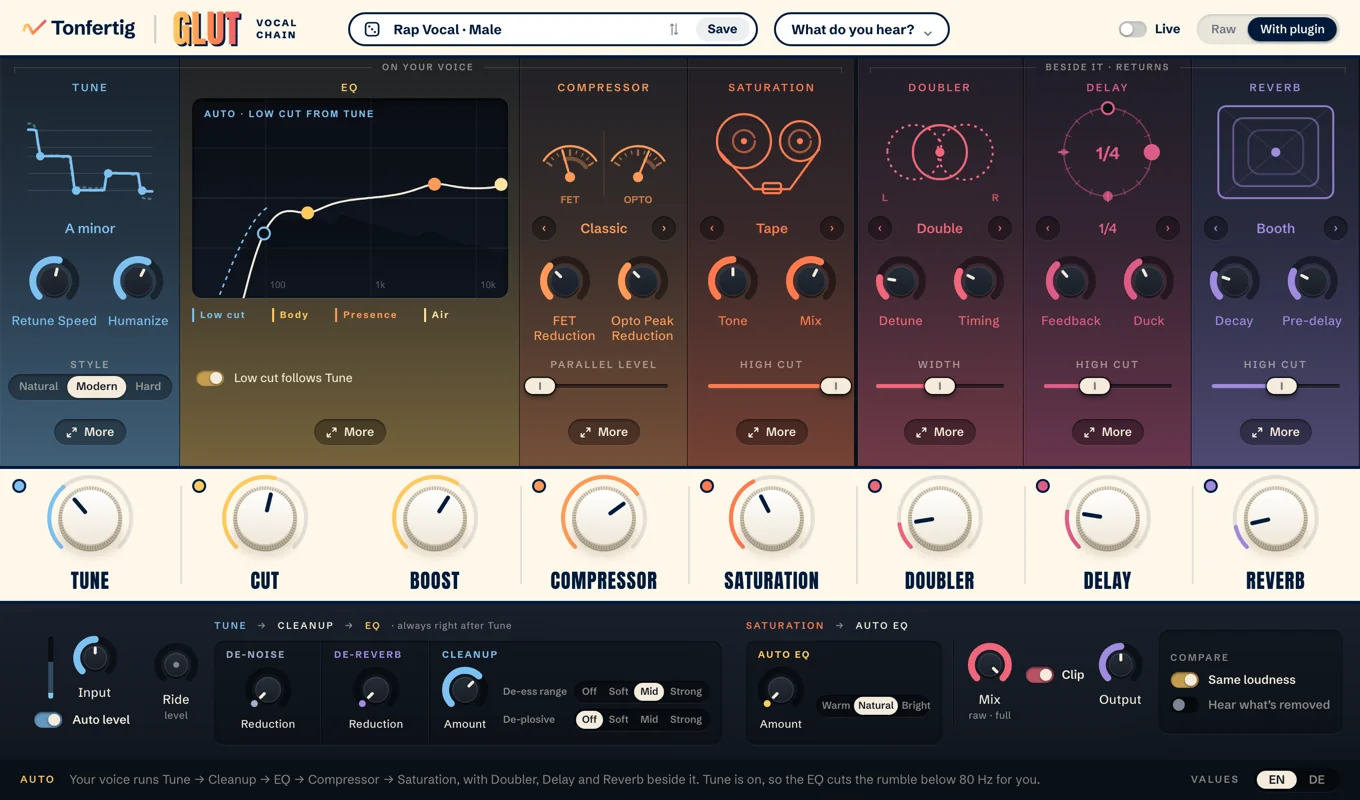
In four steps.
- Put GLUT on your vocal track.
- Pick a preset up top that fits your voice.
- Turn the big knobs until it sits.
- Something still bothers you? Open “What do you hear?”.
The big knobs
Every station has a big knob at the bottom. It sets how hard that station works.
The dot next to it switches it on and off. Off means your voice skips this step.
Cut and Boost belong to the EQ: Cut sets how deep it cuts, Boost brings the voice forward and opens up the highs.
The line at the very bottom tells you in one sentence what just happened.

Input
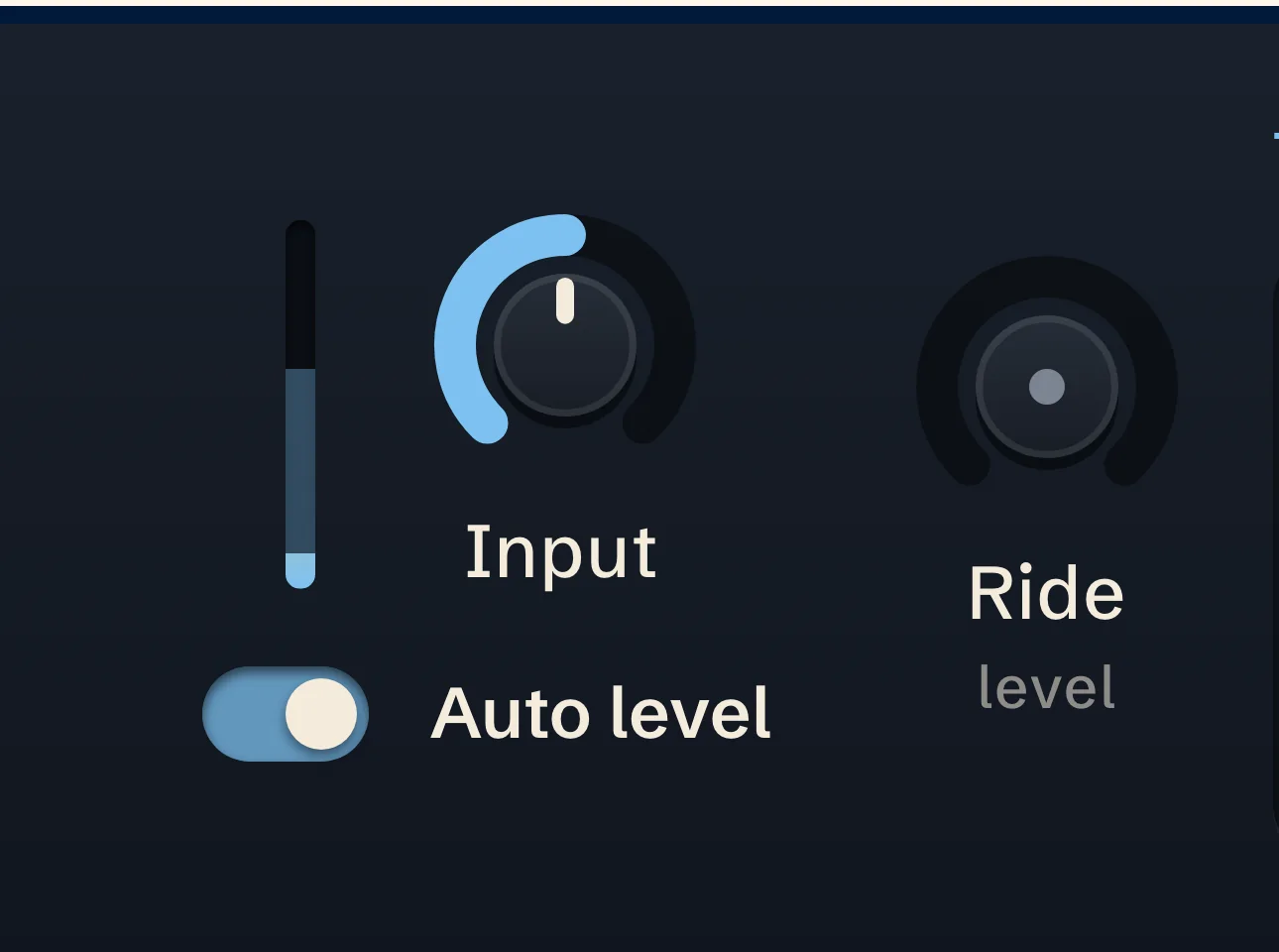
Input shows how loud your voice comes into the plugin. The meter should reach the yellow, not the top.
Auto level lifts your take to the level the chain works at.
Ride keeps your voice at an even level: quiet words come up, loud ones go down. Pauses and breaths stay where they are.
Tune
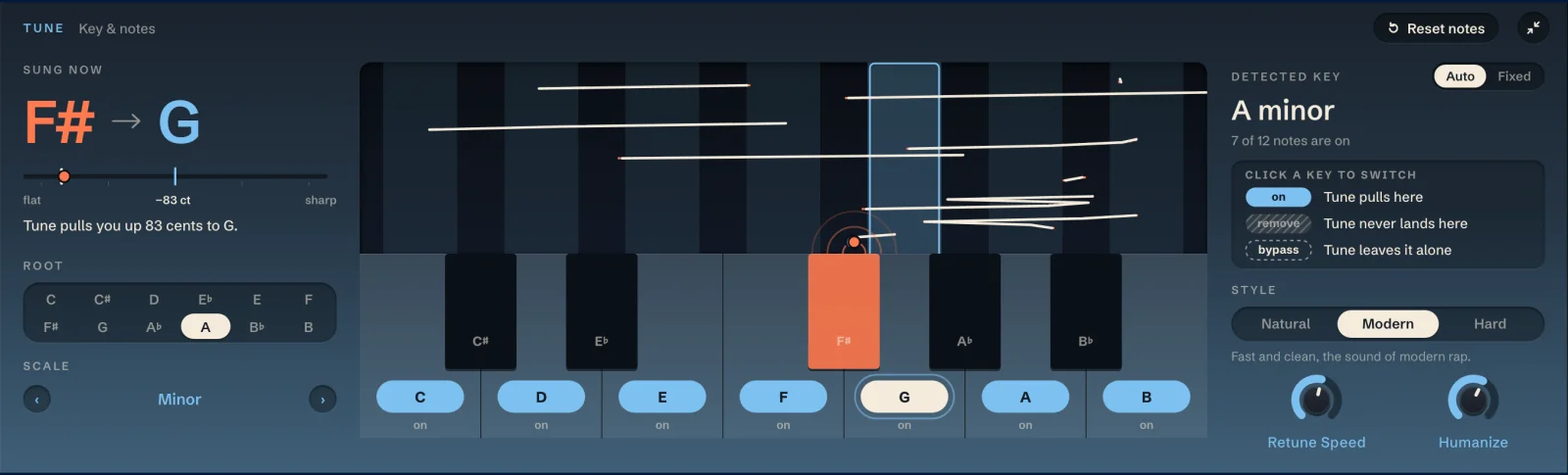
Tune pulls your notes onto the right pitch. A little sounds natural, a lot sounds hard-tuned.
Tune finds the key on its own: it listens first and sets the key in the next pause. Or pick it by hand, it’s often in the beat’s title.
Under “More” you watch live how Tune pulls your voice. Click a key to switch it: on (Tune pulls here), removed (never here), bypass (notes near it are left alone).
Retune Speed: how fast a note jumps onto the pitch. Humanize: long notes and vibrato stay as they are.
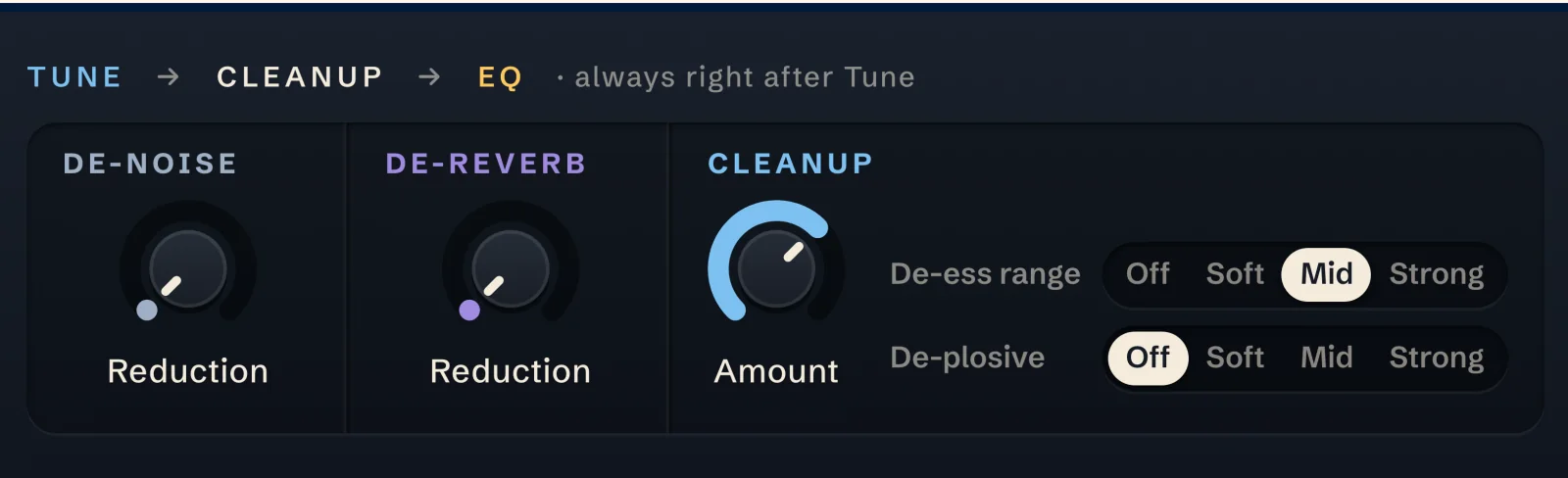
Cleanup
De-noise takes out steady hiss and hum, and short noises between your words.
De-reverb takes the room’s echo out of your voice, so it sounds drier.
Cleanup tames loud S and Z sounds and softens the thump of P and B.
EQ
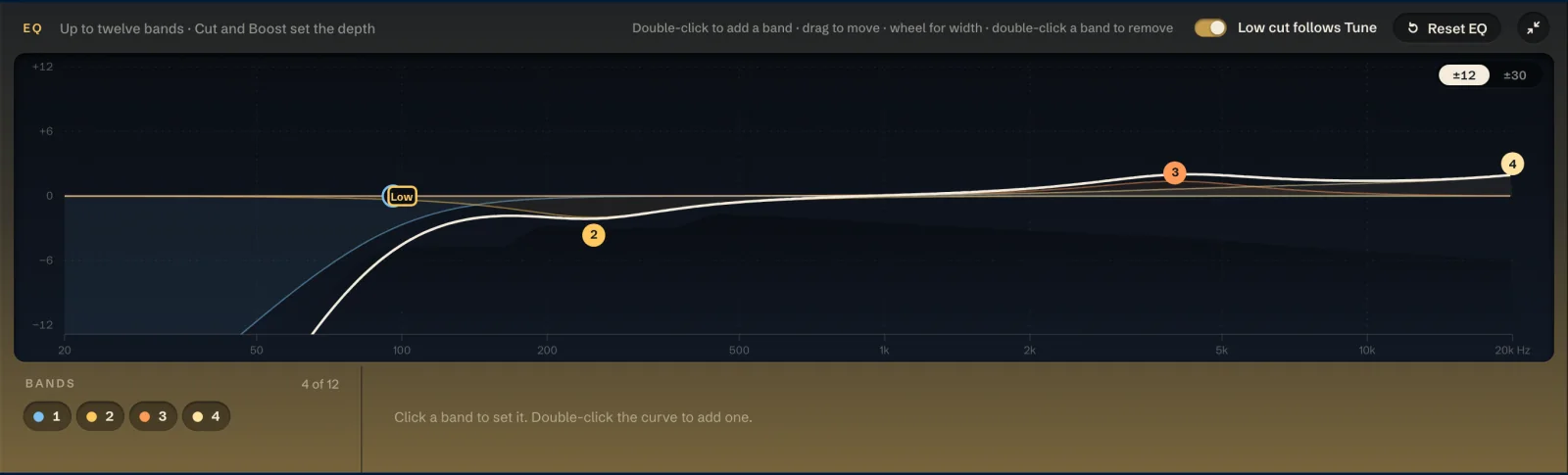
The EQ cuts what muddies and adds what is missing.
While Tune is on, it takes out the rumble by itself: “Low cut follows Tune”.
Under “More” you get up to twelve bands. Double-click the curve to add one; Cut and Boost still set how deep everything cuts and boosts.
Compressor
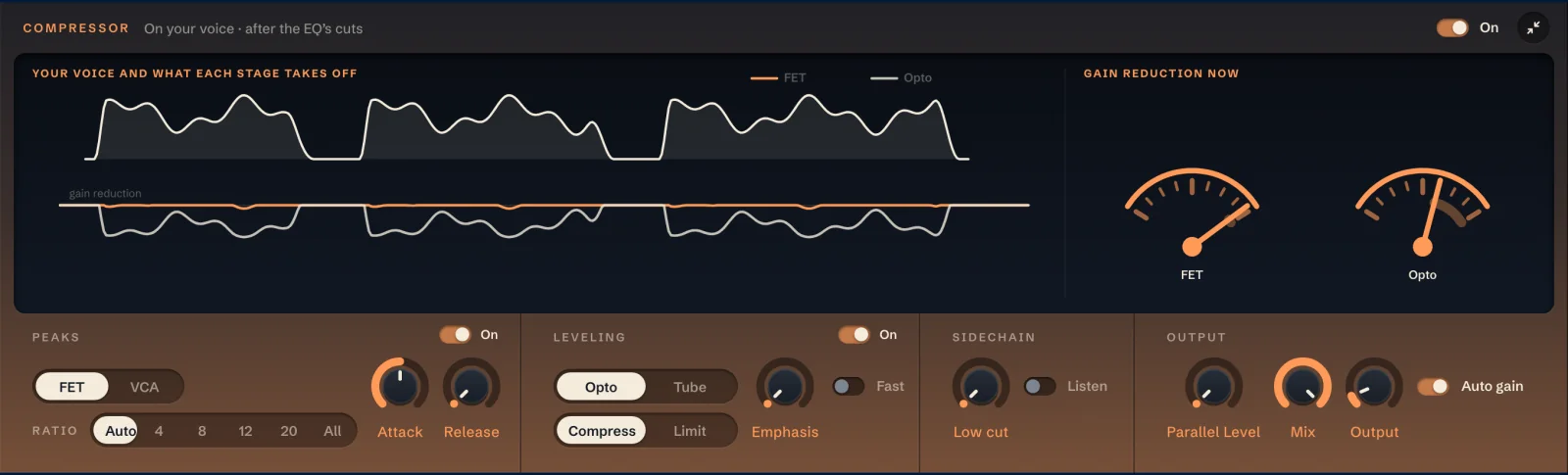
The Compressor keeps your voice even and in front: FET grabs fast, Opto evens it out gently.
Under “More” both stages run in a row. Switch one off to hear the other alone.
Saturation
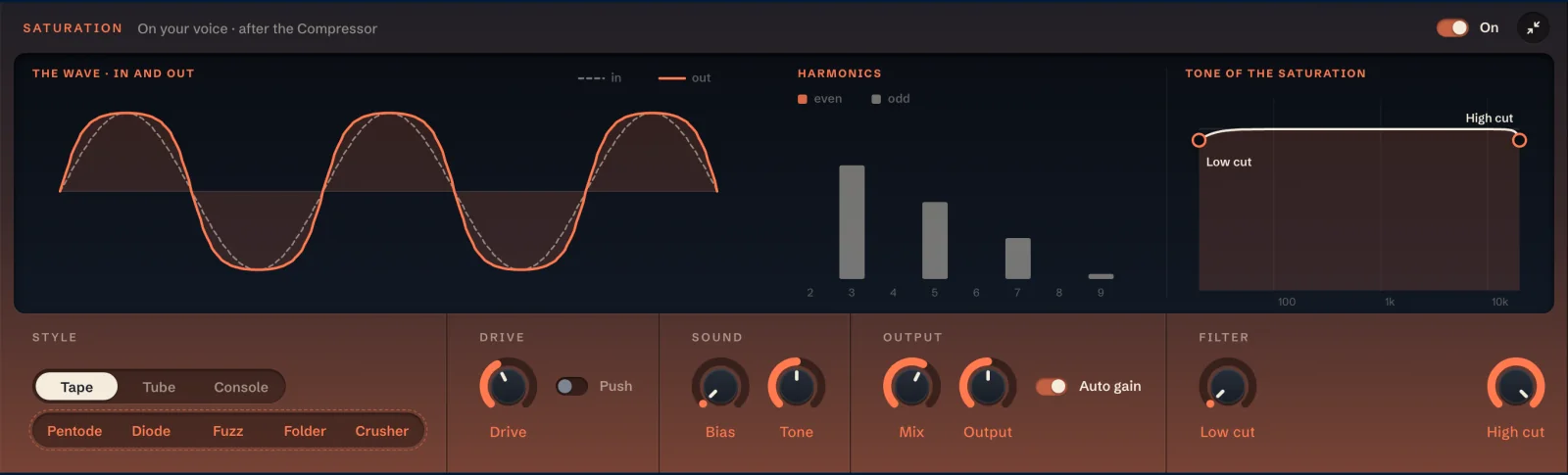
Saturation adds body and color, like a voice running through tape or a tube.
Under “More”: pick a style, then drive it. The wild styles on the second row go much further.
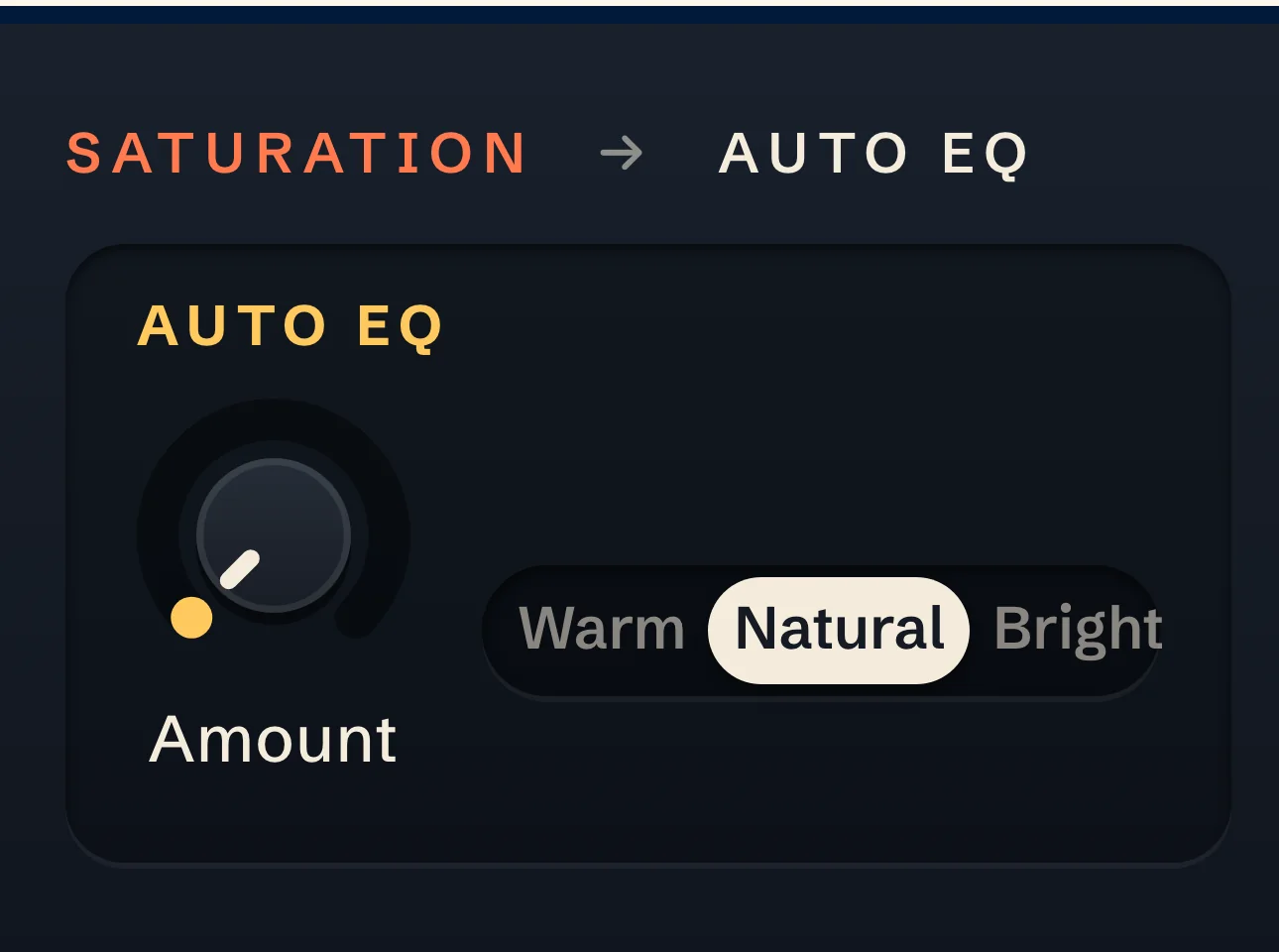
Auto EQ
Auto EQ listens all the time: it tames what pokes out and lifts what gets buried. Your level stays the same.
Warm leans your voice to the lows, Bright to the highs, Natural to neither.
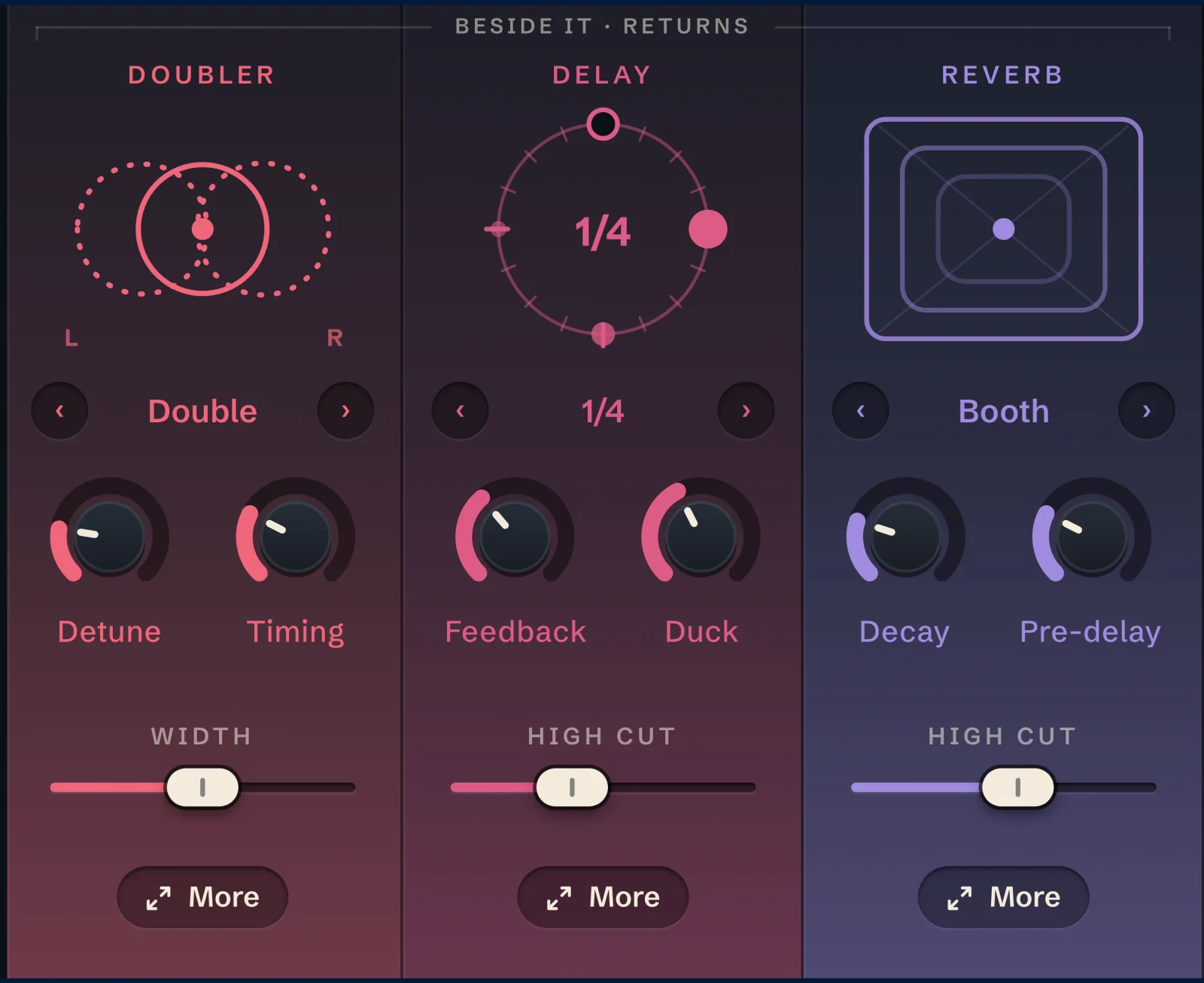
Doubler, Delay, Reverb
These three run beside your voice: they are added, your dry voice never passes through them.
The Doubler lays copies of your voice slightly offset left and right. The center stays put.
Delay repeats your voice in time with the beat and ducks while you’re rapping.
Reverb puts a space around your voice: from booth to hall.
Output
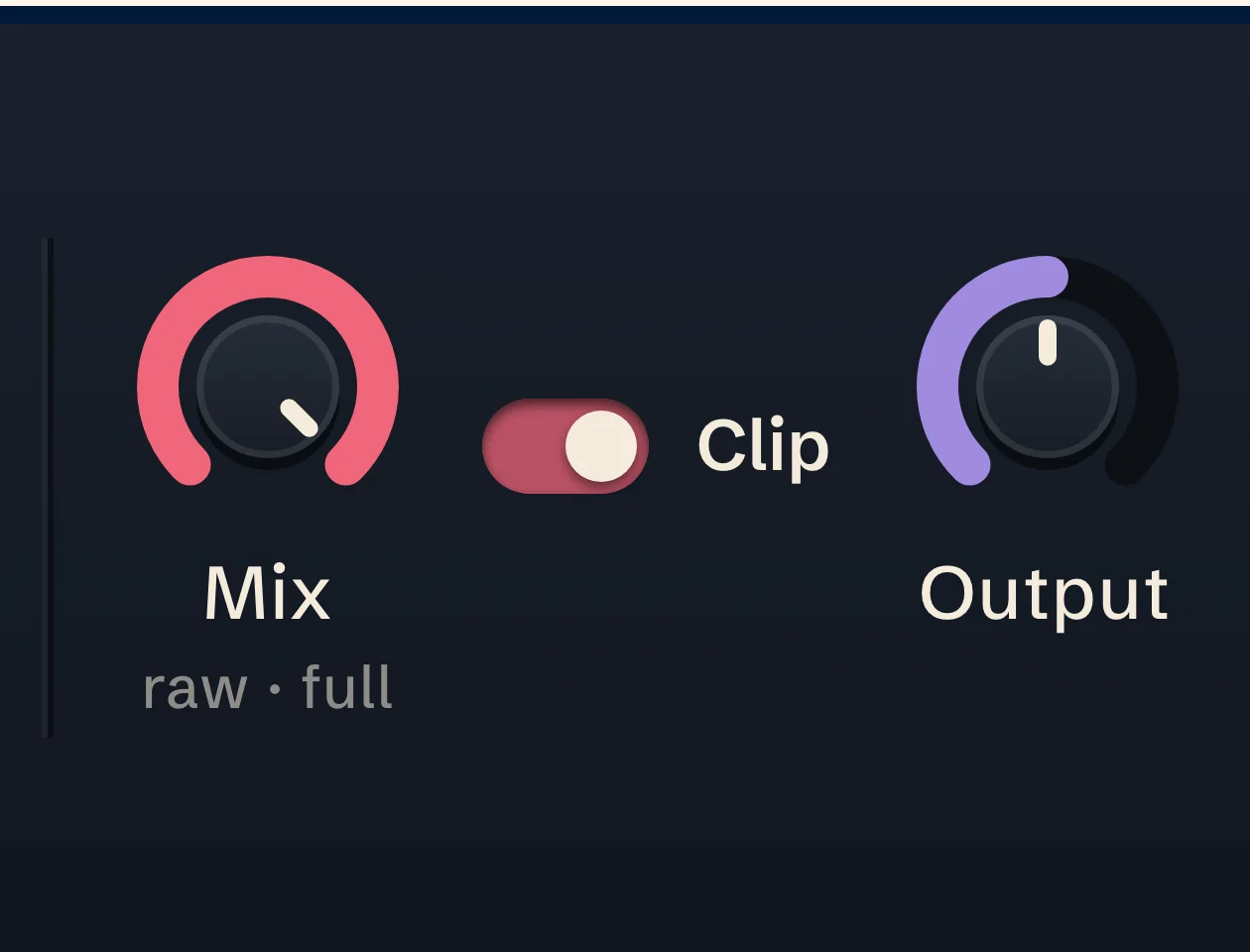
Mix blends your voice as it leaves Tune and Cleanup with the whole chain. All the way up you hear the full sound.
Clip softly catches the peaks before they reach your mix.
Output: how loud the result goes into your mix.
Presets
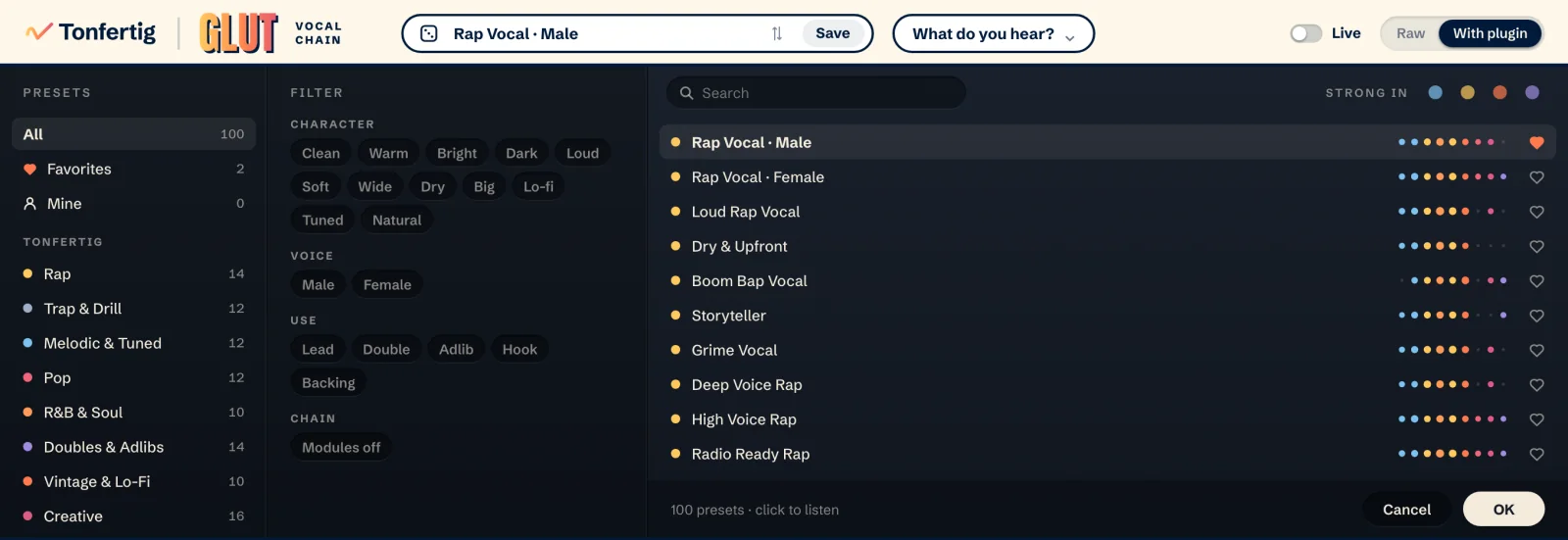
Click the name up top and the browser opens. Click a preset to hear it right away. OK keeps it, Cancel takes you back.
Filter by character, voice and use. The heart makes a preset a favorite, Save puts yours under Mine, the dice picks one at random.
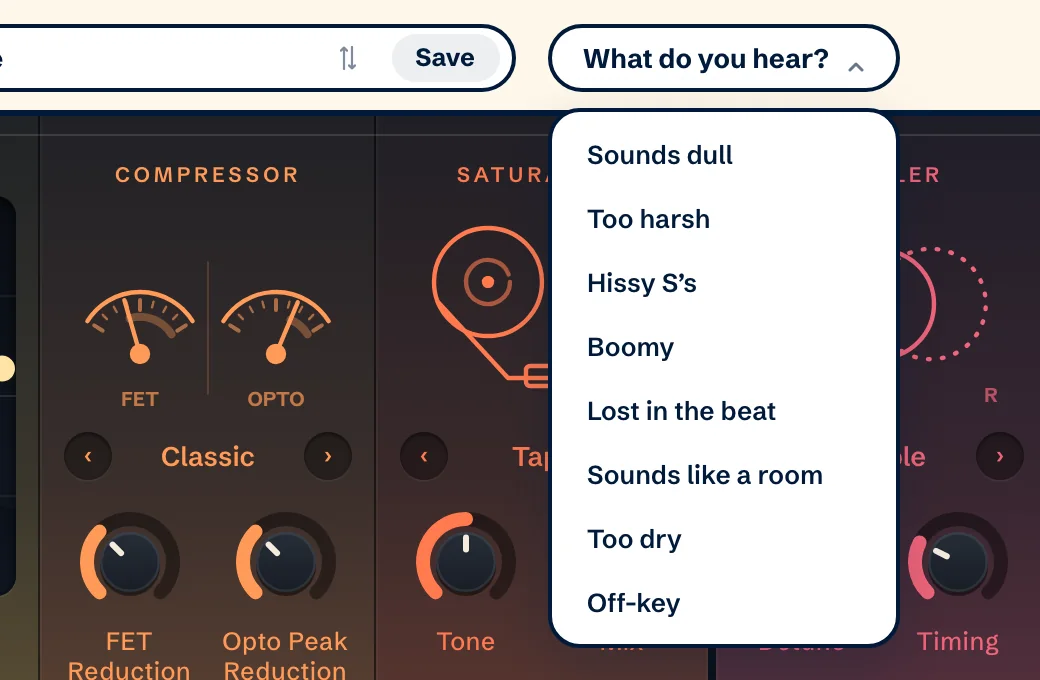
What do you hear?
Tell GLUT what bothers you, in your own words: from “Sounds dull” to “Off-key”.
GLUT sets the right knobs for you and says at the bottom what it did.
Compare and Live
Raw plays your voice without the plugin, With plugin with it. That’s how you hear the difference.
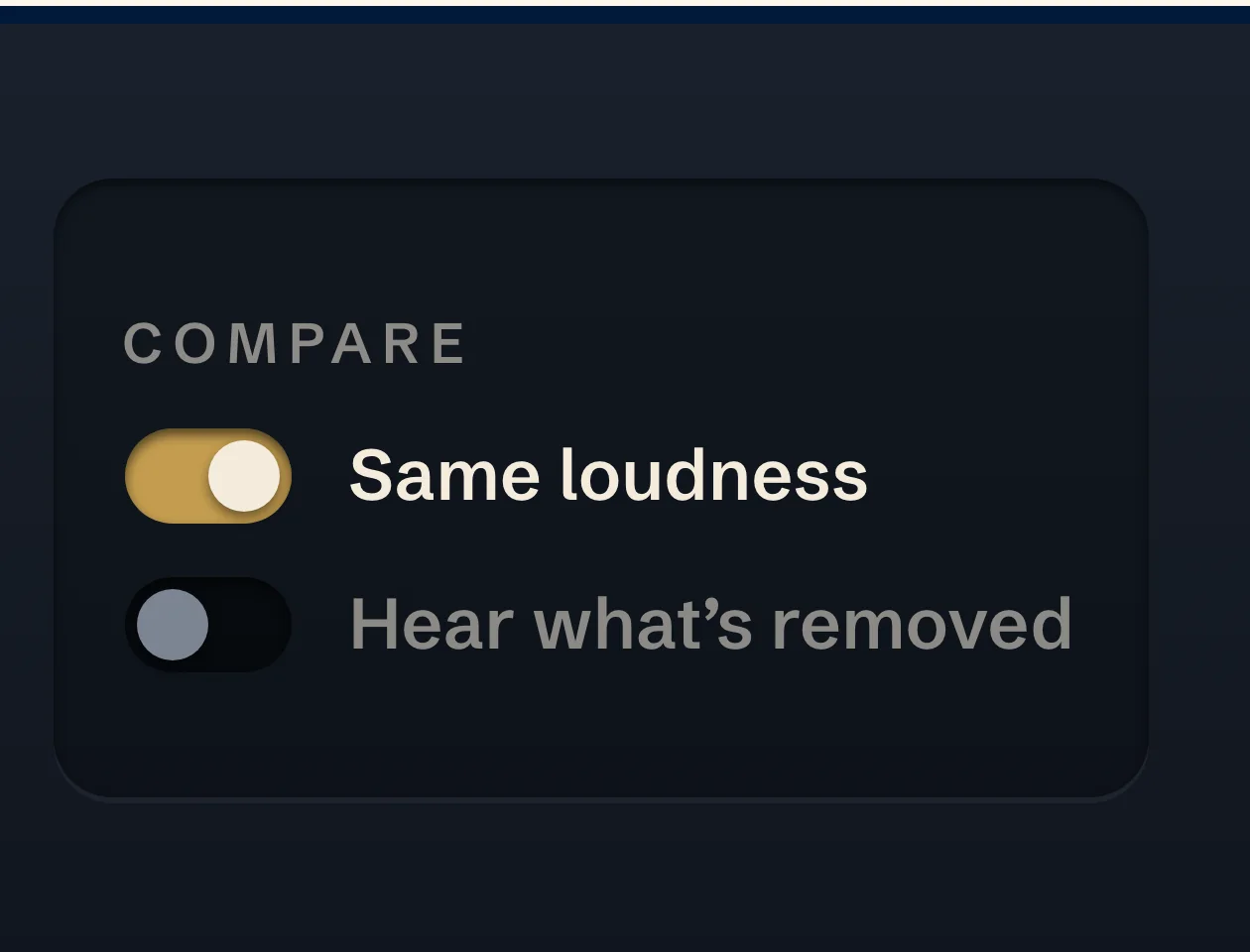
Same loudness: both play equally loud, so you hear only what the chain changes. Hear what’s removed: you hear only what De-noise, De-reverb and Cleanup take out.
Live on: you hear yourself without delay, for recording. Tune reacts a little later, De-noise and De-reverb pause. Live off: full quality for mixing.
Tip In the app without a DAW, the microphone starts muted. Put on headphones and click the line at the bottom of the window.